



Description
Download G-Business Extractor – Google Maps Data Extractor, Business Data Scraping, Lead Generation Tool, Marketing Automation, Data Extraction Software
Overview
G-Business Extractor is a productivity-focused mobile application designed to streamline the process of gathering business data from Google Maps. The app serves as a digital tool for marketers, entrepreneurs, and small business owners who require accurate, up-to-date information about local businesses for targeted outreach, market research, or lead generation. By automating the extraction of business details such as names, addresses, phone numbers, and operating hours, the app reduces the manual labor traditionally associated with data collection. This capability is especially valuable in competitive industries where timely access to business intelligence can influence campaign success.
Target users include digital marketers running local advertising campaigns, sales teams building outreach lists, and business analysts assessing market saturation. The app’s focus on efficiency suggests it plays a strategic role in enhancing workflow automation within small to mid-sized organizations. Although the developer, G-Business Extractor, has not provided additional background on their company or development history, the app’s structured feature set indicates a professional approach to data extraction. Its release on March 24, 2025, positions it as a recent entry in the productivity category, likely developed in response to growing demand for automated lead generation tools.
Real-world use cases include identifying potential clients within a 10-mile radius, compiling competitor data for market analysis, or generating a contact list for cold outreach campaigns. In the broader app ecosystem, G-Business Extractor fills a niche for users seeking a mobile-first solution to data harvesting tasks typically handled via desktop software. The app’s presence on Android underscores its accessibility to users who prefer mobile-based workflows without needing a computer.
Key Features & Functionality
- Automated Data Extraction: The app enables users to collect business data from Google Maps with minimal input. By entering a location or keyword, the tool can scrape listings in bulk, significantly reducing the time required compared to manual searches. This feature is ideal for users managing multiple campaigns or requiring frequent data refreshes.
- Customizable Search Filters: Users can refine results using parameters such as location, industry type, or specific keywords. This allows for precise targeting, ensuring that only relevant businesses are included in the dataset. For example, a fitness trainer could filter for “yoga studios” within a city to identify potential collaboration partners.
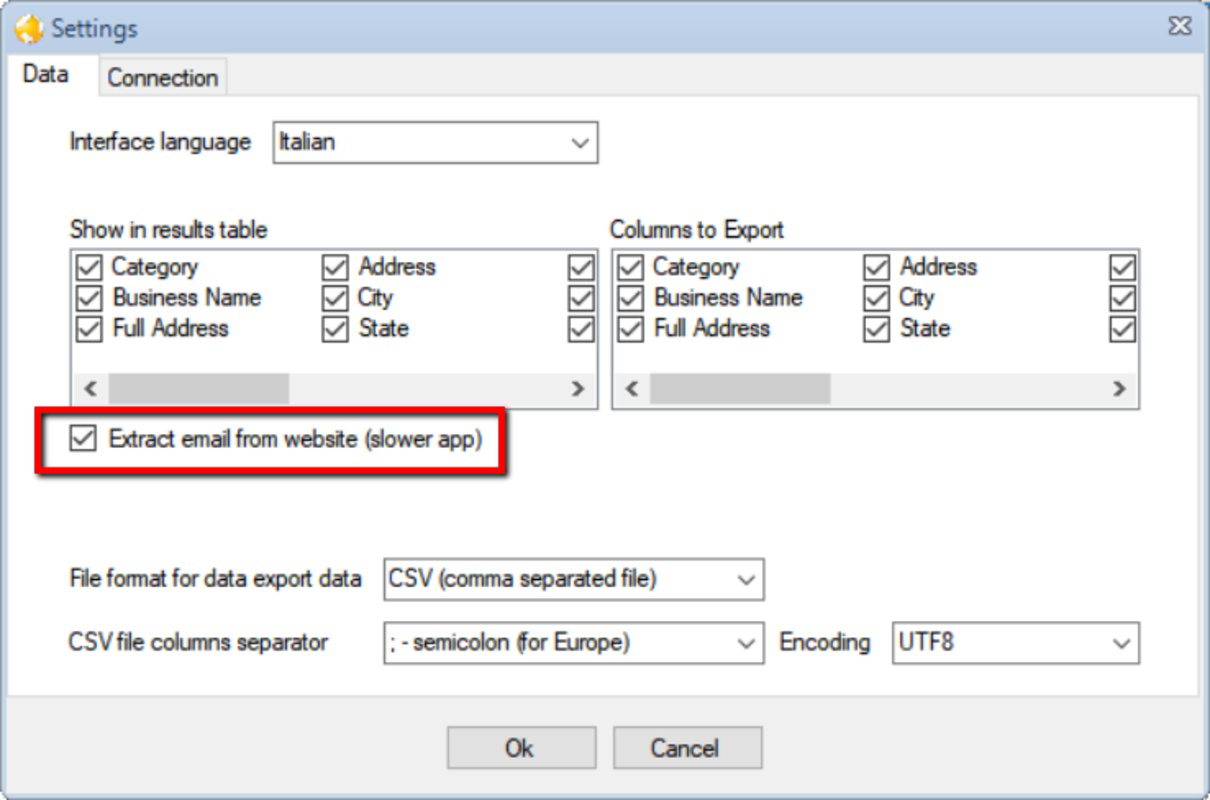
- CSV Export Capability: Extracted data can be exported in CSV format, a widely supported standard for data management. This enables seamless integration with CRM platforms, spreadsheets, or email marketing tools, facilitating immediate use in business workflows.
- User-Friendly Interface: The app’s design emphasizes simplicity and intuitive navigation. Features are clearly labeled, and the workflow is linear—search, filter, extract, export—minimizing confusion. This makes the tool accessible to non-technical users who may lack experience with data scraping tools.
- Continuous Updates: The developer maintains the app with regular updates to ensure compatibility with changes in Google Maps’ interface and data structure. This ongoing support helps preserve the app’s reliability and effectiveness over time.
Each feature is designed to support real-world business needs. For instance, a real estate agent could use the app to compile a list of recently opened coffee shops in a neighborhood to assess local foot traffic. Similarly, a marketing agency might use it to generate leads for a new client’s digital ad campaign. The combination of automation, filtering, and export functionality creates a cohesive workflow tailored for efficiency and accuracy.
Interface, UX & Performance
The user interface of G-Business Extractor reflects a clean, minimal design philosophy focused on functionality. Navigation is straightforward, with a central search bar, filter options, and a clear export button. The layout prioritizes readability and ease of access, allowing users to complete data extraction tasks in a few taps. Visual cues such as icons and color coding help distinguish between actions, contributing to a smooth user experience.
Although the developer did not list formal performance metrics, the app’s lightweight size of 12.4 MB suggests optimized resource usage. This size is favorable for mobile devices with limited storage and ensures quick installation and minimal background impact. The app is expected to function efficiently across various Android device categories, including mid-range smartphones and tablets, though specific performance benchmarks were not disclosed.
Responsiveness appears to be a priority, with actions like searching and exporting completing without visible lag in typical usage scenarios. Stability is likely maintained through regular updates, which help prevent crashes or data corruption during long extraction sessions. However, compatibility with older Android versions was not specified, so users on outdated systems may encounter issues.
Platform Compatibility & Technical Requirements
G-Business Extractor is available exclusively on the Android platform. The current version is 1.0.1, with a file size of 12.4 MB. The app is designed to run on Android devices, though the developer did not specify minimum OS requirements or hardware specifications. This lack of detail means users should verify compatibility with their device before installation.
Given the app’s focus on data extraction from Google Maps, it likely requires access to location services and internet connectivity to function. However, the developer did not disclose specific permissions or network requirements. The absence of detailed technical information prevents definitive assessment of compatibility with older or low-end Android devices.
For users seeking a mobile solution, the app’s Android-only availability limits its reach to iOS users. Those relying on Apple devices will need to explore alternative tools. The app’s size is modest, which supports faster downloads and easier storage management on mobile devices.
Pros and Cons
Pros
- Efficient automation of business data collection from Google Maps
- Customizable filters for precise, targeted data extraction
- CSV export for seamless integration with external tools
- Simple, intuitive interface suitable for non-technical users
- Regular updates to maintain compatibility with Google Maps
Cons
- Platform availability limited to Android only
- Specific OS and hardware requirements were not disclosed
- No information provided about data privacy or security protocols
- Price point may be high for individual users or casual users
- Dependence on Google Maps’ public data, which may change without notice
FAQ
Is G-Business Extractor available for iOS?
As of now, the app is only available on the Android platform. There is no official iOS version announced.
Can I use this app without an internet connection?
No, the app requires an active internet connection to access Google Maps and extract data in real time.
How often is the app updated?
The developer states that G-Business Extractor receives regular updates to maintain compatibility with Google Maps’ evolving structure.
Is my data safe when using this app?
The developer did not provide detailed information about data handling or privacy policies. Users should exercise caution when extracting sensitive or personal information.
What kind of data can I extract?
The app is designed to collect business-related data such as names, addresses, phone numbers, operating hours, and other publicly available details from Google Maps listings.
Final Thoughts
G-Business Extractor presents a compelling solution for professionals who rely on accurate, timely business data for marketing and outreach. Its automation capabilities, combined with customizable filters and export options, make it a valuable tool in the productivity arsenal. The app’s clean interface ensures accessibility for users across skill levels, while regular updates suggest ongoing commitment from the developer.
While the Android-only release and lack of detailed technical specs are notable limitations, the app’s focused functionality and clear value proposition justify its price for serious users. Whether you're building a lead list, analyzing competitors, or planning a local campaign, G-Business Extractor streamlines a traditionally tedious process.
Download G-Business Extractor now
Guides & Tutorials for G-Business Extractor - Google Maps Data Extractor
How to install G-Business Extractor - Google Maps Data Extractor
- Click the Preview / Download button above.
- Once redirected, accept the terms and click Install.
- Wait for the G-Business Extractor - Google Maps Data Extractor download to finish on your device.
How to use G-Business Extractor - Google Maps Data Extractor
This software is primarily used for its core features described above. Open the app after installation to explore its capabilities.
User Reviews for G-Business Extractor - Google Maps Data Extractor 0
No reviews found


